 SOUTH FLORIDA AI
AI browser workflows
Too many event tabs? Build a better South Florida AI shortlist
Compare local AI workshops and meetups with ChatGPT, check dates and practical details, and organize the three pages worth keeping. Includes five illustrated steps and a sample decision.

In this guide
- The useful starting point
- Choose the kind of experience you need
- Before you begin: connect the browser you actually mean
- Step 1 — Open side chat beside one public page
- Step 2 — Name the three tabs and the decision
- Step 3 — Check the answer against the original pages
- Worked example: choose the learning experience that fits
- Step 4 — Review the tab list, then group only those tabs
- Step 5 — Finish with a recommendation and one open question
- Try the same method on a single article
- Your finished-work checklist
- Put this into practice
- Questions you might be asking
- Sources and further reading
The useful starting point
Choose three relevant public pages, state the decision criteria, verify the comparison, and keep a short source-linked recommendation. Group the reviewed tabs in Work only where that action is available.
You find an interesting workshop in West Palm Beach, a networking event in Boca Raton, and a hands-on session in Miami. By the time you return to the first page, you have forgotten which one fits your schedule. Use your open tabs to build a small, evidence-based shortlist before you register.
Choose the kind of experience you need
A networking mixer, a conference talk, and a working session serve different purposes. If you want to leave with a usable workflow, look for a stated exercise, prerequisites, and what attendees should bring. If your goal is meeting collaborators, inspect the audience and networking format. Keep travel time, parking, accessibility, and the event date visible instead of asking AI to decide from the headline alone.
Before you begin: connect the browser you actually mean
OpenAI documents a browser extension that can use open tabs and provide side chat. In the desktop setup, open Settings → Computer Use, choose your browser, and follow its installation flow. That route points you to the appropriate extension. Use the profile where you installed it. Availability and controls depend on your account, app version, and workspace settings.
This guide uses a public-page practice task. The cover is AI-generated editorial imagery; the five step graphics are conceptual illustrations, not screenshots of an actual ChatGPT session. Allow about 20 minutes for a first attempt; that is a suggested practice time, not a measured result.
Step 1 — Open side chat beside one public page
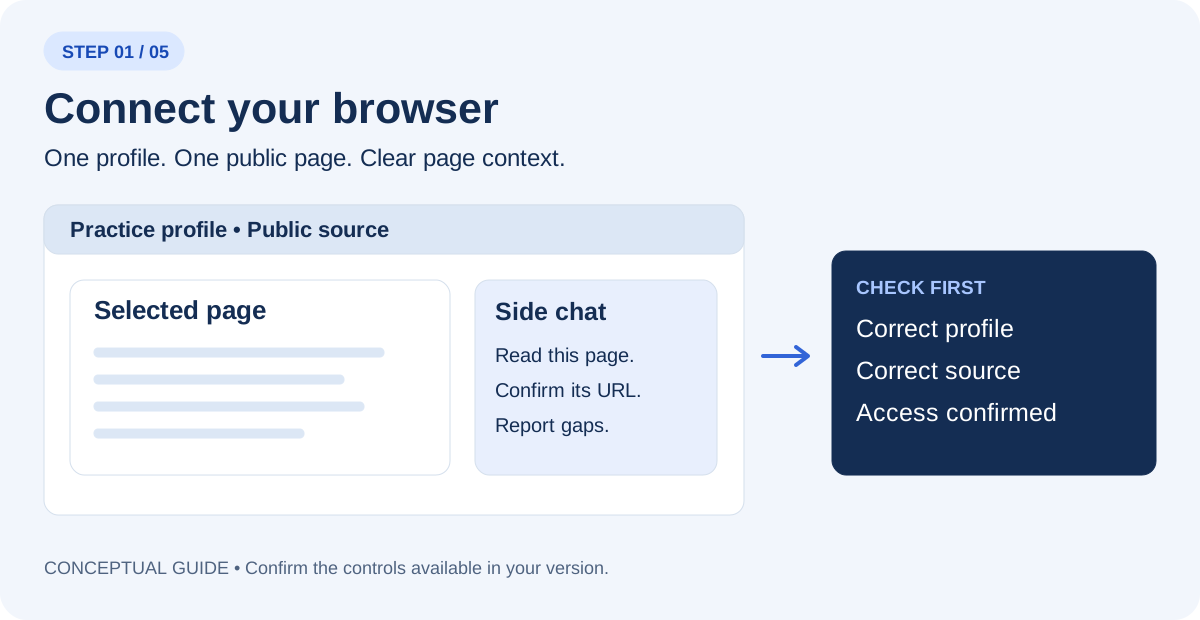
Open one of your sources and select ChatGPT from the browser toolbar or Extensions menu. Use the tab mention or page-context control your version provides. Begin in Chat for reading where available. If the panel cannot see the page, confirm the correct profile and connection before continuing.
Read only the page I selected. Tell me its title and URL, what information you can actually access, and anything you cannot verify. Do not change the page.
Step 2 — Name the three tabs and the decision
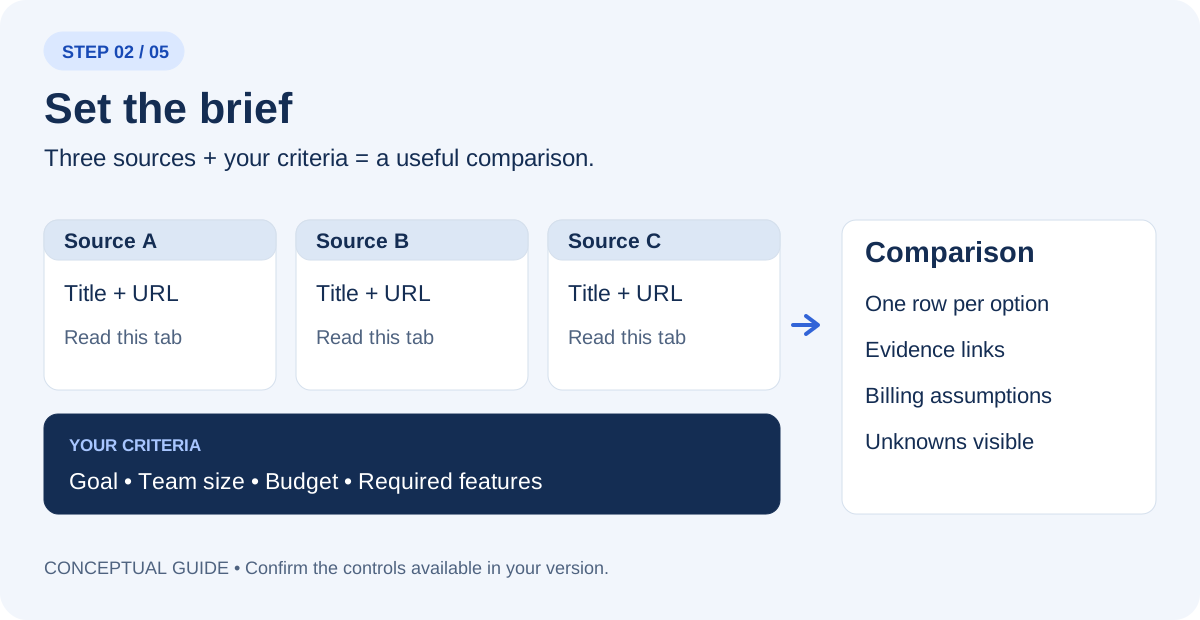
Open three official organizer or registration pages for upcoming events. Select or mention each tab explicitly. Replace the placeholders in this prompt with the actual page titles or URLs. A list of links is not proof that ChatGPT has read every page; ask it to identify any failed or partial reads.
Use only these three tabs: [title and URL 1], [title and URL 2], [title and URL 3]. My task: Choose one beginner-friendly AI learning event for someone based in West Palm Beach, with a $100 ticket budget, an evening preference, and a preference for hands-on practice. Create a comparison with one row per option, the source URL for each important claim, and a separate column for missing information. Use “not verified” when a page does not establish a detail. Do not start trials, buy, register, or send messages.
Step 3 — Check the answer against the original pages
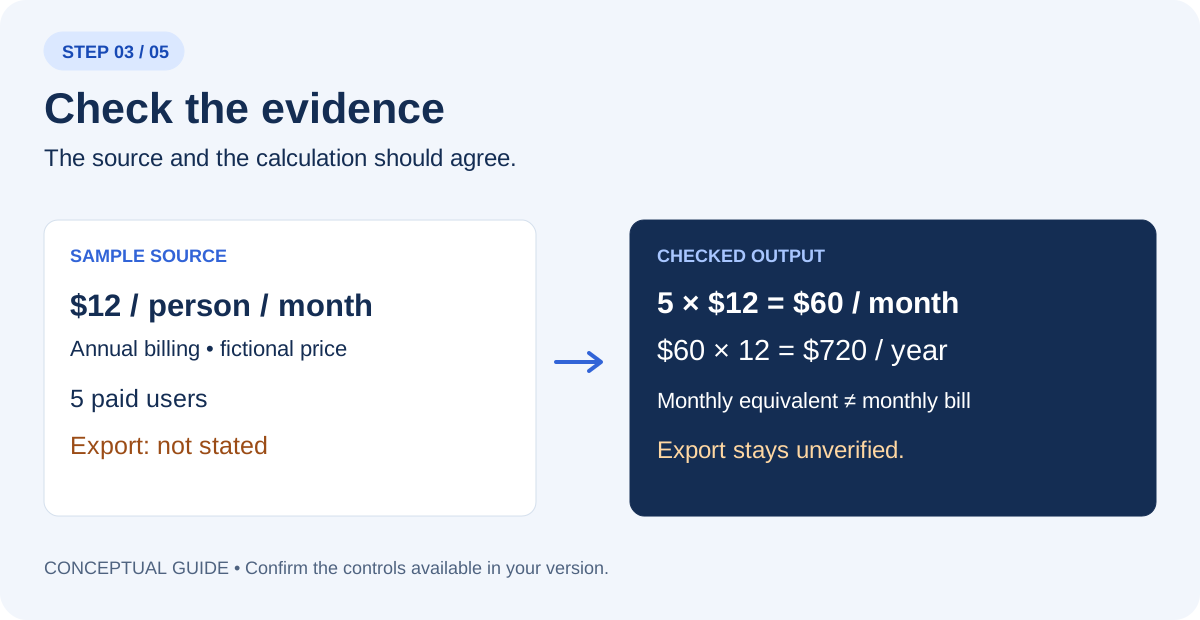
Open the source behind each decision-changing claim. Separate a visible statement from AI’s interpretation. For prices, check currency, billing period, paid-seat count, minimum seats, required add-ons, and any tax or fee exclusions. For events, check date, time zone, venue, and registration status. Do not convert a blank field into a favorable assumption.
Audit your comparison against the three source pages. For each important claim, show the supporting page and explain the calculation or inference. Mark contradictions and missing details. List what I must confirm before making the decision.
Worked example: choose the learning experience that fits
Illustrative scenario. The sample pages below are invented to demonstrate the reasoning, not a report of a completed browser test.
| Fictional option | Visible sample information | What remains unresolved |
|---|---|---|
| Sample Palm Beach workshop | Hands-on practice stated; $60 ticket | Parking fee not stated |
| Sample Boca Raton meetup | Networking stated; free ticket | No practical exercise described |
| Sample Miami session | Hands-on practice stated; $90 ticket | Travel and parking may exceed total budget |
Example decision note: The Palm Beach workshop is the first option to investigate because the stated format matches the learning goal. The Boca meetup may suit a relationship-building goal. The Miami session needs a total-cost check. These are fictional listings, not current events or registrations.
For the actual shortlist, include date, start and end time, time zone, venue address, organizer, ticket fees, availability, and original registration URL. Treat estimated travel time as an estimate. Do not let a search excerpt override the organizer’s current page.
Step 4 — Review the tab list, then group only those tabs
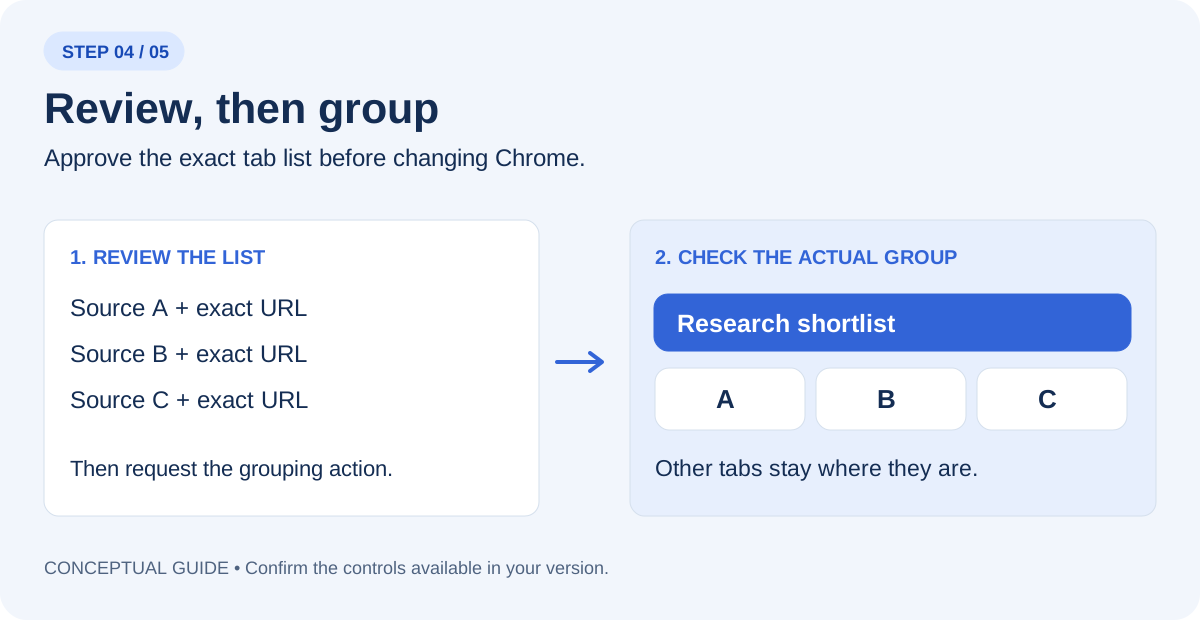
If browser actions and tab grouping are available in Work, select that mode and name Chrome explicitly. Reading pages and changing the browser are separate tasks. First ask for a preview of the three tab titles and URLs. After you check the list, request the grouping action below. Inspect the actual Chrome group afterward.
In Chrome, show me the exact three tab titles and URLs you would group as “South Florida AI shortlist”. Do not change the browser yet.
Group only those three reviewed tabs as “South Florida AI shortlist”. Leave the other tabs where they are. Do not close pages, navigate to checkout, register, or send anything. Report the group name and the tabs actually included.
If grouping is unavailable, create the group manually in Chrome and keep the comparison. A useful research result does not depend on this optional action. If the extension fails to connect, use OpenAI’s linked troubleshooting guidance; do not grant wider access just to complete a practice exercise.
Step 5 — Finish with a recommendation and one open question
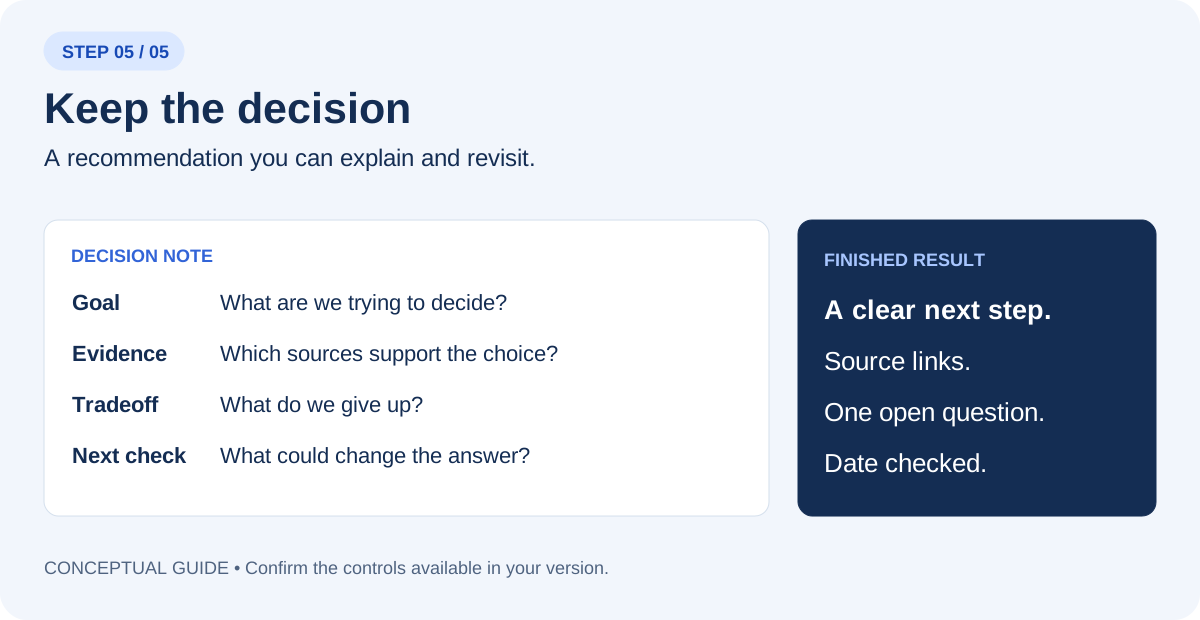
Write a decision note under 150 words: the goal, the best-supported next step, the source links, the main tradeoff, and one unanswered question that could change the recommendation. Distinguish facts, calculations, and your judgment. If the evidence is insufficient, recommend the next check instead of choosing a winner.
Check the organizer’s page again before leaving home. A good shortlist helps you choose where to spend an evening; it does not reserve a seat or establish availability. Bring one task you want help with, and afterward record what you learned, who you met, and the next thing you will try.
Try the same method on a single article
Select the article tab and ask for a short evidence review. This is useful when a headline makes a broad promise but the body describes a narrow example.
What is the main claim in this article? What evidence does the author present? Which statements are interpretation, which details remain unresolved, and what original source would I need to inspect before relying on the claim? Include the article URL.
Your finished-work checklist
- The comparison uses the three sources you selected.
- Decision-changing claims link back to an accessible page.
- Costs and dates use the correct assumptions.
- Missing information remains visible.
- The actual tab group matches the reviewed list, if grouping was used.
- The final note names a next step and one question.
Save the note with the date checked. When a price, policy, or event changes, revisit the original page before reusing the recommendation.
Put this into practice
Find a local opportunity, open the organizer’s original page, and use this workflow to decide whether it fits your goals.
Questions you might be asking
Is the extension the same as the cloud browser?
No. Use the connected browser extension when the task depends on your existing Chrome tabs. Name Chrome and the selected tabs explicitly.
What if my account cannot group tabs?
Complete the comparison and create the tab group manually. The group is optional; source checking is the essential skill.
Sources and further reading
Put one idea to work
Bring a practical question, share what you tried, and find people learning alongside you.
Explore the community →Explore more from South Florida AIKeep practicing
 Community Events
How to Run an AI Demo Night That Shows Useful Work, Not Just Impressive Prompts
A South Florida community guide to honest AI demonstrations, repeatable examples, clear limitations and constructive audience feedback.
October 22, 2026 · 6 min read AI for Business
Plan a small Shopify and AI pilot for a South Florida business
Choose one local customer journey, test Grok Bot preparation work and hire scoped freelance help for a Shopify improvement.
October 21, 2026 · 4 min read